
How the Chippewa County Court Calendar Works
The Chippewa daily calendar PDF is the public hearing schedule for Chippewa County District Court. That court sits in Minnesota's Eighth Judicial District. Treat the calendar as a plan for the day. It is not the Register of Actions, and it does not retell a case's history. For events, filings, public documents, and outcome information, there is a separate record. Turn to the MCRO case record when one is available.
The Judicial Branch posts the local schedule at 7:00 a.m. on business days. It updates the schedule hourly. Entries can change, the Branch warns. Confidential or non-remotely-accessible matters stay off the list. Printed calendars outside courtrooms or in public lobbies are described as the most current version on site. A missing case does not mean it was cancelled. A change, an access limit, or a PDF refresh issue may explain the gap.
Chippewa County Daily Calendar Updates
Check the displayed calendar date and its last-update or print information before trusting a saved file. The daily PDF refreshes during the business day. A courthouse posting can therefore be newer than a copy you downloaded earlier. Open the calendar from the local court page itself. Search-engine snippets, social posts, and unofficial event lists tend to lag behind the court's own schedule.
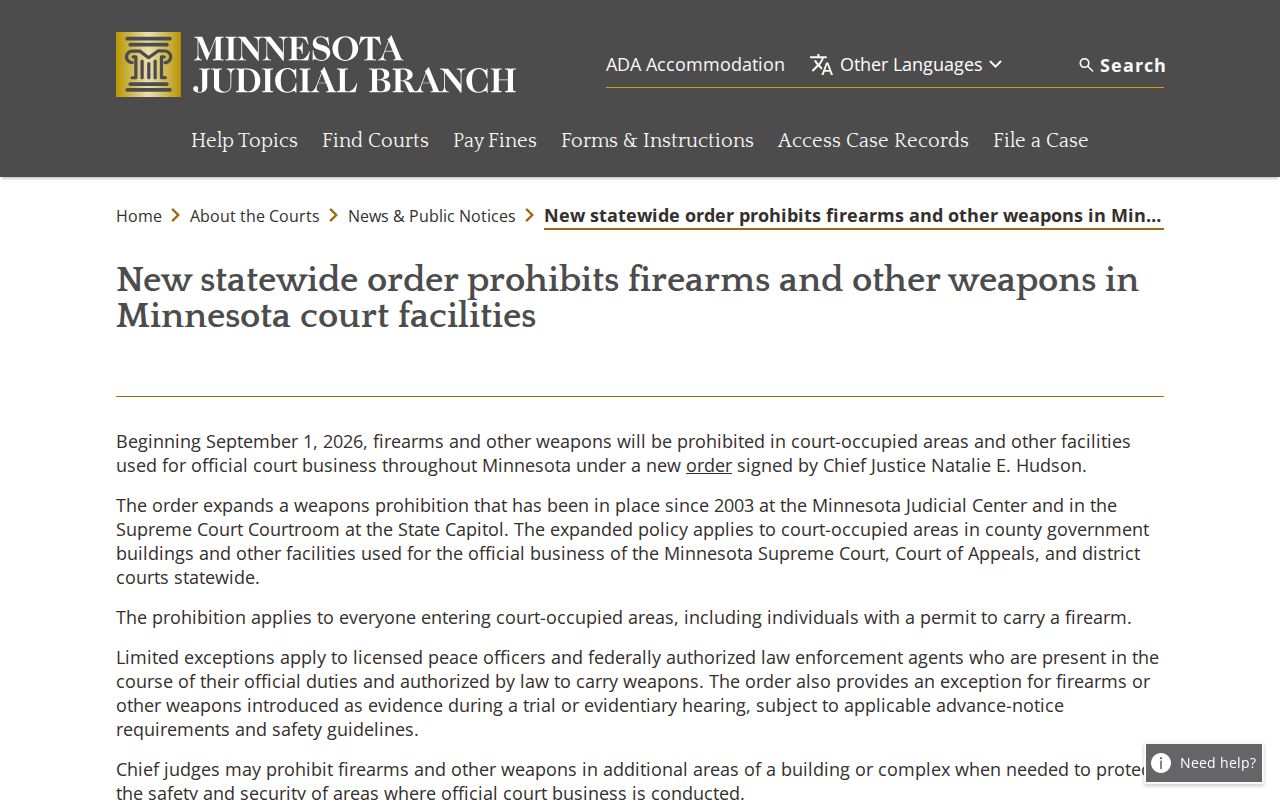
Before visiting, plan around the rules in force. The Minnesota Judicial Branch court-facility notice sets out the statewide order prohibiting firearms and other weapons in court facilities.
Bring three things together before you appear in person: a current schedule, the connection instructions, and the court's own facility guidance. Each one covers a gap the others leave open.
Chippewa County Court Date Lookups
When a date truly matters, verify it more than one way. The official daily calendar is the local schedule for the court docket. MCRO Case Search, Hearing Search, and Case Details can supply public case and hearing information. That serves a Chippewa County court docket lookup. A complete case number is often the most precise key. If a party has an attorney, ask that attorney too. The attorney is a key source for notice and any requested change. Do not publish another person's calendar information. Keep private anything drawn from a live case record.
- Open the official Chippewa daily calendar PDF and check its date and update information.
- Search within the PDF for a case number, attorney, or party name only when authorized to use that information.
- Read the hearing date, time, location, judicial officer, hearing type, and connection type together.
- Open MCRO Case Details or Hearing Search to compare the public setting with the case record and next-event information.
- For a change, omission, connection question, or historic calendar, call district court administration, check the printed courthouse calendar, or ask the attorney handling the case.
Chippewa County District Court administration answers the phone at (320) 269-7774. Fax is (320) 269-7733. The court sits at 629 North 11th Street, Montevideo, MN 56265, and offers no separate local calendar-request form or calendar subscription.
Chippewa County Calendar Search Routes
Each route to a Chippewa County court docket serves a different purpose. The daily PDF is best for the local schedule. MCRO can connect a public hearing to Case Details. A Minnesota courthouse terminal may show accessible information that is not offered remotely. Courtroom and lobby postings, court administration, and a party's attorney round out the options. Local staff can confirm the right route for a particular file, though they cannot give legal advice.
A recent citation works differently. An "Appear By" date may appear in MCRO. It may also appear on the citation itself. The same goes for a last day to pay or request a hearing. That date is not necessarily a scheduled courtroom hearing. The Court Payment Center also warns that a citation can take up to seven days to appear. Do not treat a new citation as missing on day one.
Granite Falls spans two counties. Match each schedule to the county on the case. A matter filed in the neighboring county sits on its docket, not this one. The Yellow Medicine district-court page covers the other county portion of that city.
Court Settings: What Each Field Means
Read the daily calendar's fields as one line. Location and connection type matter most. The time alone does not say where or how to appear. The Chippewa calendar lists Courtroom 2nd Floor among its location examples. When discussing a specific matter with the court, cite the case number. Do not rely on party names from the docket.
| Party Name | Person or entity displayed by the court. Do not republish names from a live calendar. |
|---|---|
| Hearing Location | The courtroom or court location, such as Courtroom 2nd Floor where listed. |
| Hearing Date and Time | The scheduled date and time, subject to change or confirmation. |
| Judicial Officer | The judge or other judicial officer identified for the scheduled event. |
| Hearing Type | The procedural label for the event, not its outcome. |
| Connection Type | How the listed hearing is expected to occur; read it with the location field. |
| Case Number | The court file identifier used to locate the related Register of Actions in MCRO. |
Chippewa County Court Calendar Terms
Calendar labels identify a type of scheduled court work. They prove nothing more. A label does not establish a charge, result, agreement, or final order. To learn what the court later recorded, look deeper. Use the Register of Actions and any public order. That distinction holds for criminal, civil, conciliation, family, and specialized proceedings alike.
- Initial Appearance, Rule 8
- An early criminal proceeding. It is not a finding of guilt.
- Bail Hearing
- A custody or bail event. The calendar alone does not state final conditions.
- Pre-trial
- A preparation or status event before trial. It does not mean a trial occurred.
- Settlement Conference
- A civil or family resolution-related setting, not proof that the parties settled.
- Conciliation Hearing
- A small-claims division setting. The line does not disclose the claim outcome.
- Default Hearing
- A procedural hearing. A later judgment or case event gives the result.
Violation, probation-violation, review, review post-permanency, and commitment hearing labels demand the same caution. Check the case file and legal context before drawing any conclusion from a docket entry.
When a Court Date Moves
A continuance or reset moves a hearing to another day. It does not wipe the case or the entries before it. The online docket calendar may lag until the court refreshes the PDF. Case Details can show the public hearing history and later events, though. Sometimes a case drops off the public daily list entirely. Confidentiality rules or remote-access limits can cause that.
When the change matters, verify it. Call Chippewa County District Court administration. Check the printed courtroom or lobby calendar, or ask the attorney who receives case notices. An old PDF, an informal message, or a missing line is never a final instruction. The court's official daily schedule can change at any time.
Chippewa County Calendar Omissions
Not every case shows up on the public daily calendar. Chippewa County marks confidential and non-remotely-accessible matters as omitted. Even for cases that do appear, the calendar is not the whole case file. Later orders, public documents, detailed event history, and the reason a hearing moved may all be missing. If your case is omitted, check whether the court date changed. Refresh the official PDF, review authorized MCRO information, and call court administration.
The record itself may be confidential or sealed. In that case, use the CON100/CON101 access-request process rather than emailing protected details to an unverified address. Your request should name the county and the case type. It should also list the records you want, your interest, and why you need access.
Missed Settings and What Comes Next
Missed a Chippewa County court setting? Act fast. Confirm the case number and the current hearing details first, then contact court administration or the attorney on the matter. A calendar entry by itself will not tell you whether a new setting was issued, but it can pin down the right case and hearing type. After the court acts, MCRO Case Details may list a later public event or an upcoming hearing.
Missed a setting? A missed required court appearance can create a failure-to-appear issue or other case-specific consequences.
Call Chippewa County District Court administration at (320) 269-7774 to confirm the current status and the proper court contact.
Speak with a licensed attorney about a missed setting before making decisions that affect a pending case.
Chippewa County Hearing Checks
A court calendar answers one narrow question: what is scheduled. A Register of Actions answers another: what the court has recorded. Filing dates, hearing dates, disposition dates, judgment dates, satisfaction dates, and payment dates each mean something different. A case can hold a future hearing while earlier events stay unresolved. And a past hearing tells you nothing about its result. You learn the outcome only when the later docket event or order appears.
When a public calendar result raises more questions, take the case number to Chippewa County docket search information. Then open MCRO Case Details. Need an authoritative copy, an older file, or something not online? Ask district court administration or use a public terminal at the courthouse.
Historical calendars may require a direct request, since the court offers no separate local calendar-request form. Court administration can walk you through the local record route by phone, fax, counter visit, or the statewide copy-request process. For current court dates, the official PDF and the courthouse posting come first. A hearing date is solid when the case number, the current PDF date, the connection type, and the local court response all line up.
Note: The daily calendar is a local scheduling snapshot. MCRO provides the statewide public case-record layer.