
Chippewa County Court Record Requests
Every Chippewa County court record request starts with the full case number. Look it up in MCRO Case Search. Grab the event or document index number if one shows. Then decide what kind of copy you need. A public document you can already view in MCRO may be all it takes. That holds if an uncertified electronic copy fits your purpose. For anything older, missing, certified, or exemplified, turn to Chippewa County District Court administration or the statewide copy-request process. Spell out the case and the document. Include its approximate date, the format, how many copies, and how you want delivery.
- Search MCRO and save the complete Chippewa County case number and any document index number.
- Determine whether a public uncertified electronic document is sufficient.
- For a paper, certified, exemplified, older, or unavailable item, prepare a statewide request or clear letter to court administration.
- Give the requested document, date or event, format, delivery method, and contact information.
- Confirm the fee, payment recipient, estimated delivery, and whether the file must be retrieved from offsite storage.
Chippewa County offers no dedicated public copy-request email. There is no local document subscription either. Phone works, and a confirmed fax route does too. You can also mail the statewide form or a plain letter. Parties to a case may file a copy request through eFS. Not a party? Ask court administration which administrative route is approved.
Chippewa County Record Copy Choices
MCRO and a court copy request answer different questions. The free electronic version is uncertified, fine for viewing or downloading when it is available. A certified copy comes with court authentication. An exemplified copy adds yet another layer of authentication on top of that. Know the difference before you send anything. A public View Document link is not the whole case file. It is not a certified instrument either.
| Copy type | Chippewa County use | Fee reference |
|---|---|---|
| Uncertified public copy | MCRO document, printout, scan, or screen print where public access is available. | Displayed as $0 on the local court fee page. |
| Certified copy | Court-authenticated instrument, MNCIS printout, or certified screen print. | $14 for listed certified items. |
| Exemplified copy | Additional authentication with certification. | $28 exemplified plus certified; $14 exemplified plus uncertified. |
Checks: make them payable to District Court Administrator. Confirm unusual requests first, since base fees exclude county law-library fees.
Kinds of Court Records
Chippewa County District Court administration holds the case files, Registers of Actions, hearing information, calendars, judgment material, and the local copy-request process. MCRO shows public case details and many public documents. Its MCRO Document Search needs a case number and returns only public documents tied to that case. Know what each tool is. A calendar is a hearing schedule. It is not a full case history. A register lists court events but may not carry the text of every filing. Common record types span criminal and civil case files, public orders, probate and guardianship material, hearing entries, judgments, satisfactions, financial information, and public court calendars. Family material is thinner online. Court-created public orders, judgments, appellate opinions, and notices may be reachable. Party-submitted family documents may not be. For these district-court records, the custodian is court administration, not the County Recorder.
Chippewa County Post-2015 Court Records
Minnesota Judicial Branch guidance sets an access line. Documents filed on or after July 1, 2015 are broadly available online. That covers public major and minor criminal and civil matters. It also covers specified probate, guardianship, conservatorship, and trust material. Treat that date as an electronic-access line, not a promise. Older files, confidential records, expunged records, juvenile records, adoption records, and some party-submitted family documents may need a different access route entirely. Chippewa County files may not appear in remote results. Then try the local counter. A public terminal at any Minnesota courthouse can help you identify a public record. Most in-person requests are same-day, though offsite storage can slow things down. The Minnesota access-to-case-records information separates courthouse access from remote access. That gap explains why an item can be inspectable in person yet absent online.
Court Records: What They Contain
A Chippewa County case record answers questions in layers, and Case Details organizes them that way. Case Information identifies the matter and venue. Case Events build the Register of Actions. Hearing entries separate future settings from past ones. Dispositions record outcomes, and judgment details may show parties, awards, and satisfaction history. Read the dates with care. A filing date, a hearing date, a disposition date, a judgment date, and a payment date each mean something different.
| Case Information | Case number, title, category, filing date, court location, judicial officer, status, citations, and related cases. |
|---|---|
| Party and Attorney Information | Public party roles and attorney details where the record makes them available. |
| Register of Actions | Case events in reverse chronological order, sometimes linked to a document index number. |
| Hearings and Dispositions | Upcoming and previous hearing entries, plus recorded outcomes such as dismissal, settlement, plea, judgment, or sentencing. |
| Financial and Judgment Data | Fines, fees, payments, credits, awards, judgment parties, and satisfactions when shown. |
Chippewa County Document Index Records
A document index number links a Chippewa County event entry to an actual document. That applies whenever MCRO makes the document public. Include the number in any copy request, along with the case number and event date. One caution: a Register of Actions event without a View Document control does not prove no document exists. It may be unavailable online, restricted, older, or sitting in a file that requires a court request. After finding the case number in Case Details, run MCRO Document Search. The sought public document may still not display. Then ask court administration about a copy request. Do not treat the online event as the entire record. Name the exact record in your request. Leave out protected addresses, medical details, and any sensitive information the request does not need.
Copy Fees and Certification
Every fee that matters here comes from one place. That place is the Chippewa County District Court fee page. Ordinary public copies are priced apart from certification. The same page covers reports, scans, faxes, forms, and a judgment search. Check the current figure before you mail any payment for Chippewa County court records. That matters most when a request touches a large file, offsite material, or an uncommon service.
| Item | Displayed fee | Request detail |
|---|---|---|
| Uncertified copy, printout, scan, or screen print | $0 | Public ordinary copy. |
| Certified instrument or listed certified print/scan | $14 | Certification route. |
| Report, 1 to 50 pages | $5 | $25 per additional 50 pages or part. |
| Scanning or fax, per 50 pages or part | $25 | Confirm the document may be sent by fax. |
| Forms, 1 to 10 pages / 11 or more | $0 / $5 | Form-copy charge. |
| Judgment search | $5 per name | Confirm the charge for an unusual request. |
Chippewa County eFS Filing and Records
eFS stands for Minnesota eFile and eServe. It handles filing and service, not public record searching. A party filing a qualifying copy request into an existing Chippewa County case may use it, but anyone browsing a court docket belongs in MCRO instead. The platform requires an account. It also addresses filing charges, redaction, and service. Two things it cannot do: turn a restricted record into a public document, or substitute for a certified court copy request. The Minnesota Judicial Branch court rules page sets out the official public-access framework that runs alongside the court's copy process, spelling out who may see what and how requests are handled.
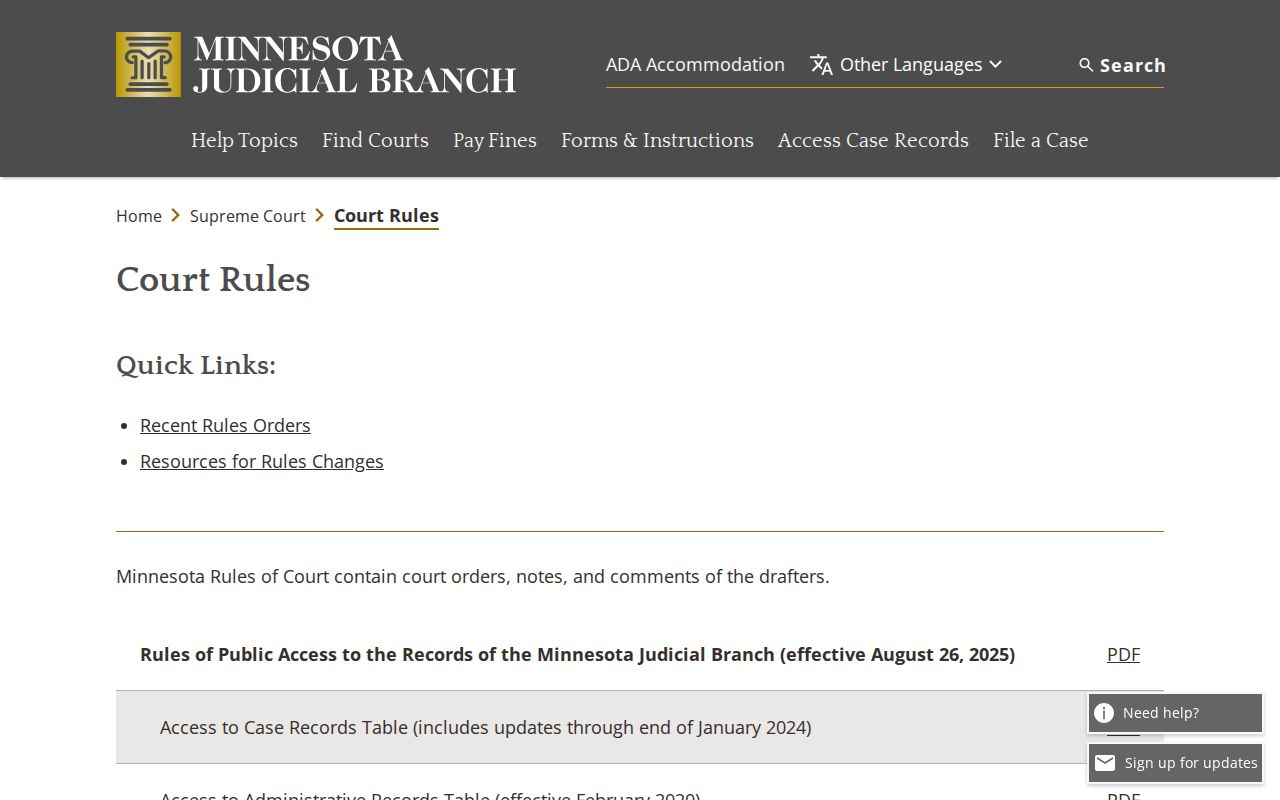
The rules page draws a clean line for Chippewa County record seekers. Access rights, request methods, and certification are court-record questions, while eFS exists for filing and service.
Access Rules for Court Records
Chippewa County judicial records answer to one framework. That framework is the Minnesota Rules of Public Access to Records of the Minnesota Judicial Branch. Rule 4 starts from openness. Records are accessible unless a rule, statute, court order, or other authority closes them. Rule 8 covers inspection, copying, bulk distribution, and remote access. Under Rule 7, a request must be specific enough and directed to the right office. Rule 9 gives a review path after a denial. On top of that, Minnesota Statutes section 13.03 adds its own public-data presumption and copy framework where it applies.
Restricted-record route: A public record may be available at a courthouse terminal even if it is absent from MCRO. Juvenile matters have special limits under Minnesota Statutes sections 260B.163 and 260B.171. For a confidential or sealed record, use CON101 rather than an ordinary letter.
Chippewa County District Court Administration
Chippewa County District Court, Minnesota Eighth Judicial District
629 North 11th Street
Montevideo, MN 56265
Phone: (320) 269-7774
Fax: (320) 269-7733
Monday through Friday, 8:00 a.m. to 4:30 p.m.
Chippewa County CON101 Record Requests
Minnesota routes confidential or sealed record requests through the CON100/CON101 packet. CON101 wants the county, the court file number if known, and the judicial district. It also wants the case type, your interest in the case, and the specific records. Include why you need them, plus your signature and date. One form can reach several cases in the same county. A second county means a second request. File it with the district court that holds the record. Adoption records sit outside this packet and use separate forms. Court administration can point you to the right filing route and fee process. Staff cannot give legal advice, though. If access is denied, keep the written response and name the precise record. Ask which rule or statute supports the denial before you turn to the Rule 9 review path. One delivery note: the County Recorder's courthouse drop box is not a district-court copy-request channel in Chippewa County. So confirm delivery before relying on it.
Chippewa County Court Record Follow-Up
A good follow-up is a precise one. Name the copy type, the exact document, and the case number. Add the event or document index too. Include the approximate date, your preferred delivery, and contact information. Then ask for the confirmed fee, the payment method, and the expected completion date. Ask as well whether the file is offsite or restricted. That focus lets Chippewa County staff pull the court record itself instead of guessing at a broad description. Save the access date and document label for any public remote document. For a certified or exemplified copy, keep the court's response and certification details with it.